

获取POI数据 最后更新时间: 2026年03月20日
简介
高德提供了千万级别的 POI(Point of Interest,兴趣点)。在地图表达中,一个 POI 可代表一栋大厦、一家商铺、一处景点等等。通过POI搜索,完成找餐馆、找景点、找厕所等等的功能。地图 SDK 的搜索功能提供多种获取 POI 数据的接口,下文将逐一介绍。
关键字检索POI
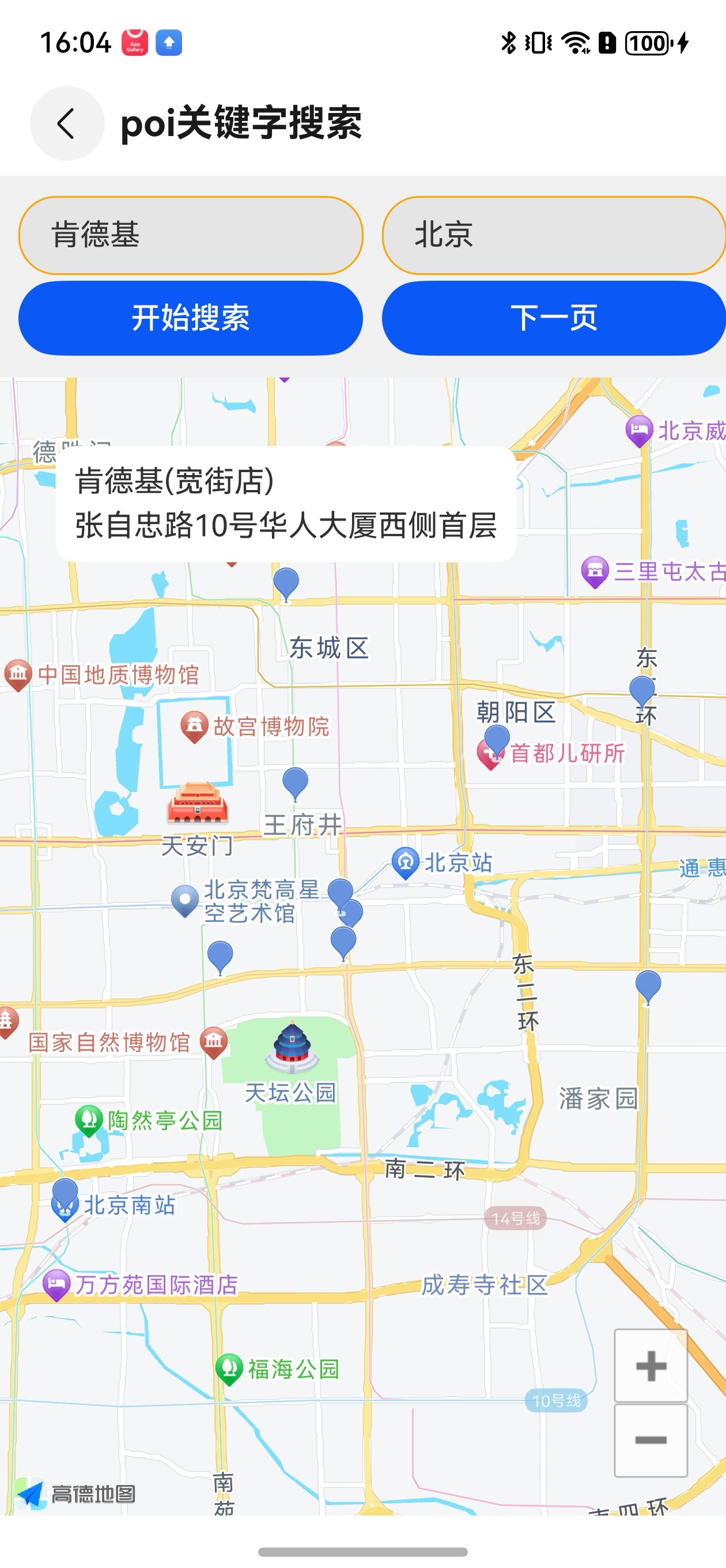
根据关键字检索适用于在某个城市搜索某个名称相关的POI,例如:查找北京市的“肯德基”。
1,创建回调监听
private poiSearchListener: OnPoiSearchListener = {
  onPoiSearched: (pageResult: PoiResult | undefined, errorCode: number) => {
    if (errorCode === AMapException.CODE_AMAP_SUCCESS) {
    }
  },
  onPoiItemSearched: (poiItem: PoiItem | undefined, errorCode: number) => {}
};
2,构建查询对象
this.poiQuery = new PoiQuery(this.keyword, "",  this.city);
this.poiSearch.setQuery(this.poiQuery);
3,构造 PoiSearch 对象,并设置监听
this.poiSearch = new PoiSearch(this.context!, undefined);
this.poiSearch.setOnPoiSearchListener(this.poiSearchListener);
4,调用 PoiSearch 的 searchPOIAsyn() 方法发送请求
this.poiSearch.searchPOIAsyn();5,通过回调接口 onPoiSearched 解析返回的结果,将查询到的 POI 以绘制点的方式显示在地图上。
6,说明
1)可以在回调中解析result,获取POI信息。
2)result.getPois()可以获取到PoiItem列表,Poi详细信息可参考PoiItem类。
3)若当前城市查询不到所需POI信息,可以通过result.getSearchSuggestionCitys()获取当前Poi搜索的建议城市。
4)如果搜索关键字明显为误输入,则可通过result.getSearchSuggestionKeywords()方法得到搜索关键词建议。
5)返回结果成功或者失败的响应码。1000为成功,其他为失败(详细信息参见网站开发指南-实用工具-错误码对照表)
效果图:
周边检索POI
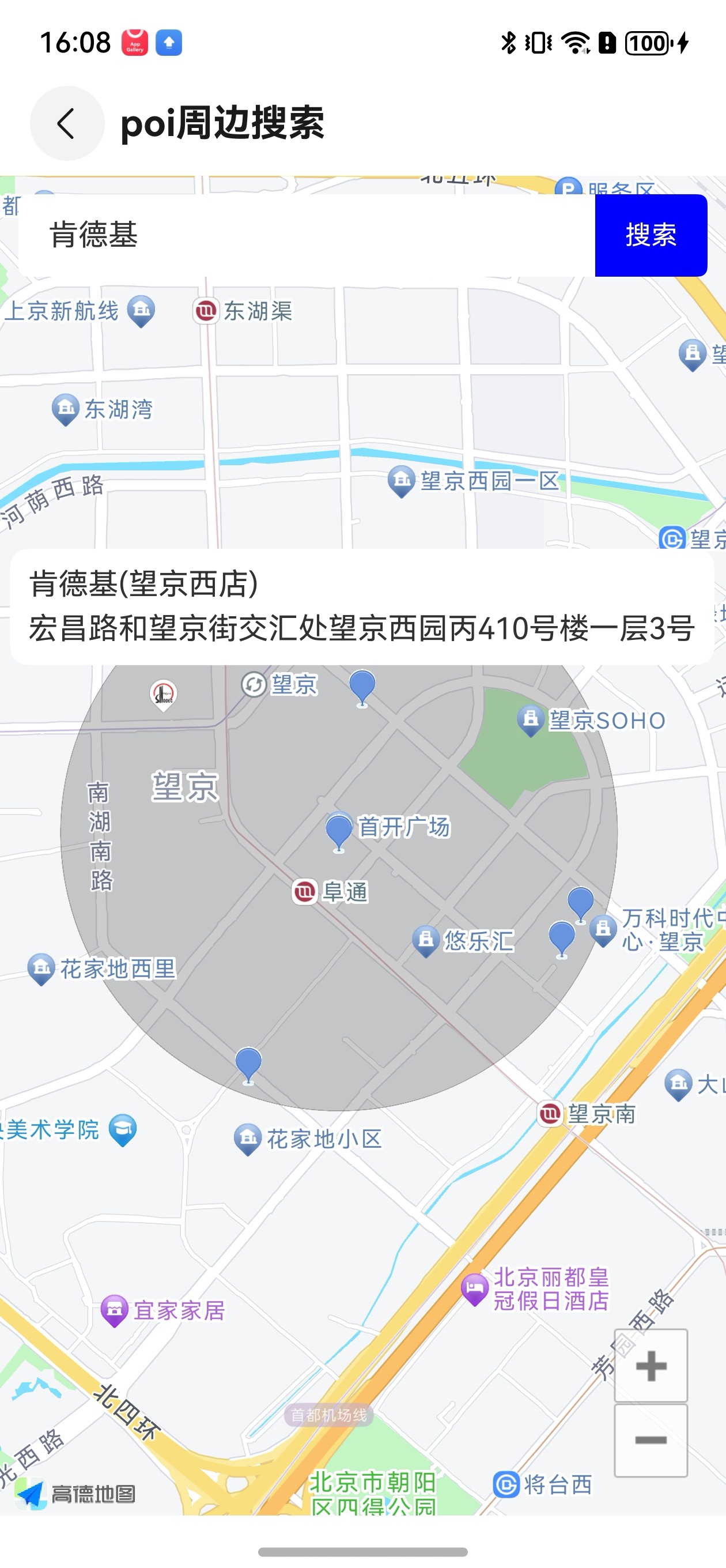
适用于搜索某个位置附近的POI,可设置POI的类别,具体查询所在位置的餐饮类、住宅类POI,例如:查找天安门附近的厕所等场景。
与关键字检索的唯一区别需要通过 PoiSearch 的 setBound 方法设置查询范围,范围类型有三种,圆型,矩形和多边形。
1,圆型范围
const lp: LatLonPoint = new LatLonPoint(39.993743, 116.472995);
const circleBound = PoiSearchBound.createCircleSearchBound(lp, 1000);
this.poiSearch.setBound(circleBound)

2,矩形范围
const lowerLeftPoint = new LatLonPoint(39.998748, 116.47882);
const upperRight = new LatLonPoint(40.000482, 116.484962);
const rectangleBound = PoiSearchBound.createRectangleSearchBound(lowerLeftPoint, upperRight);
this.poiSearch.setBound(rectangleBound)

3,多边形范围
const pointList = new ArrayList<LatLonPoint>();
pointList.add(new LatLonPoint(39.941711, 116.382248));
pointList.add(new LatLonPoint(39.884882, 116.359566));
pointList.add(new LatLonPoint(39.878120, 116.437630));
pointList.add(new LatLonPoint(39.941711, 116.382248));
const polygonBound = PoiSearchBound.createPolygonSearchBound(pointList);
this.poiSearch.setBound(polygonBound)
效果图:
输入内容自动提示
输入提示是指根据用户输入的关键词,给出相应的提示信息,将最有可能的搜索词呈现给用户,以减少用户输入信息,提升用户体验。如:输入“方恒”,提示“方恒国际中心A座”,“方恒购物中心”等。
例如用户输入“高德”,输入框下方的列表会显示包含关键字字段的输入提示信息。显示效果如图所示: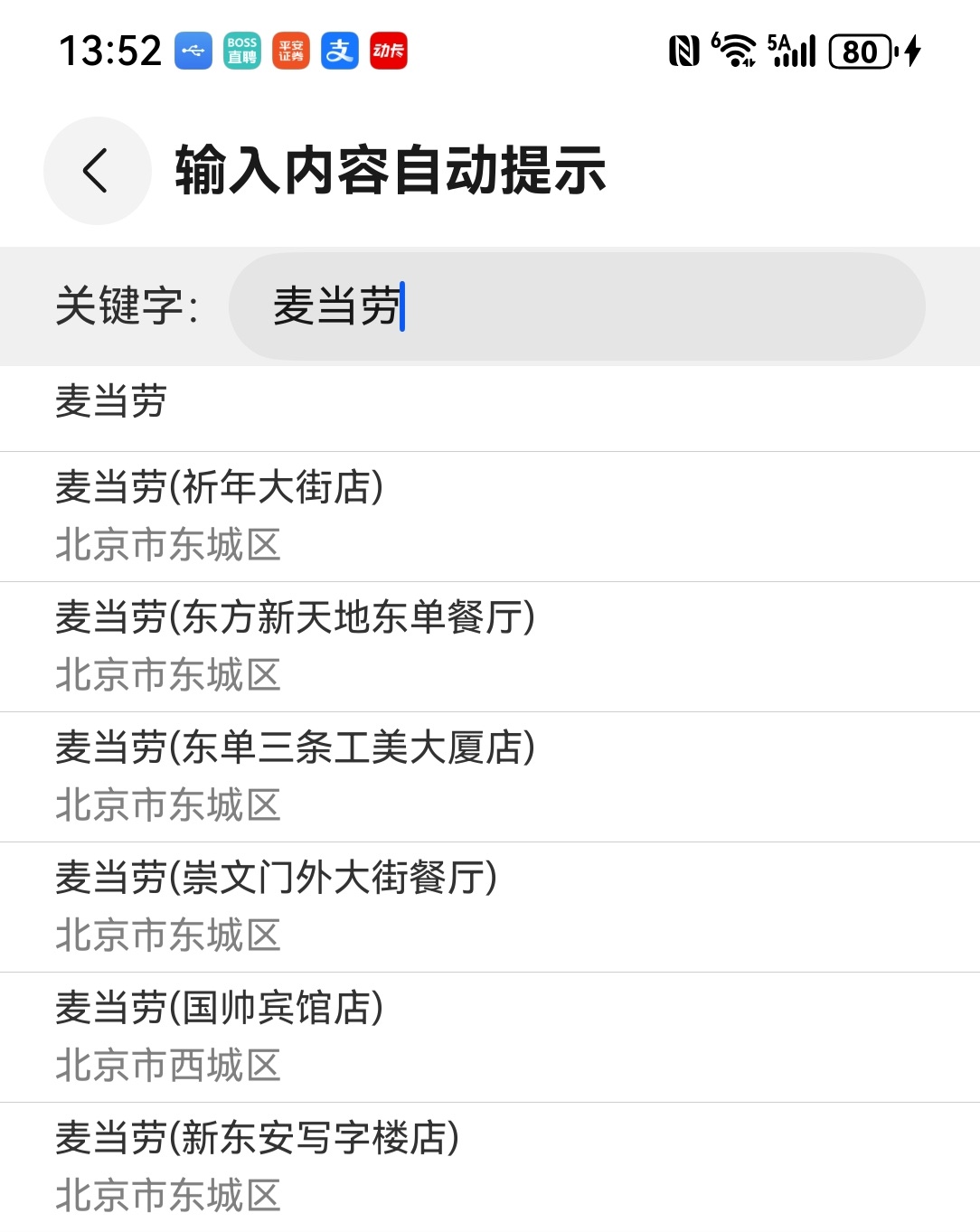
实现输入提示的步骤如下:
1、监听回调
inputtipsListener: InputtipsListener = {
  onGetInputtips: (inputTips: ArrayList<Tip>, resultID: number) => {
    if (resultID === AMapException.CODE_AMAP_SUCCESS) {
      if (inputTips.length > 0) {
        //处理数据
      } else {
        //没有搜索到相关数据
      }
    } else {
       //搜索失败
    }
  }
};2、构造查询条件
//第二个参数传入undefined或者“”代表在全国进行检索,否则按照传入的city进行检索
const query = new InputtipsQuery("关键字", "城市");
query.setCityLimit(true);//限制在当前城市
3、构造 Inputtips 对象,并设置监听。
const inputtips = new Inputtips(this.context!, this.inputtipsListener, query);4、调用 Inputtips 的 requestInputtipsAsyn() 方法发送请求。
inputtips.requestInputtipsAsyn();